Why Can't You Move That Orphan to the Bottom of the Preceding Page?

Contents
If you read the preceding topic on "Why Do My Headings/Subheadings show up at the bottom of a page," you'll already know the answer to this. There are no orphans, and no widows. They don't actually exist.
Take a look at our example, below (or next page). In the first image, you see a widow. A widow is when a paragraph ends on the first line of a new page (As Master Typographer Robert Bringhurst says it, widows have a past, but no future; orphans, which are when a paragraph's first line is the last line on a page, have no past, but they do have a future.)
In our first image, the word "building," a stub end, (that's the correct typographical phrase for it, a "stub end"), is at the top of location/page 439 (yellow highlight). Most people, seeing this, would insist that we "fix it." Right? You would, if the book were in print.
But, look what happens, if we simply change the font a single size? In the first (top) image, the book is shown at font size 4 (red circle). In the second image, (below) we've done nothing but change it to font size 5—up a single "notch"—and now, the sentence in question is in the middle of the screen. (And on a "different" page now, too!).
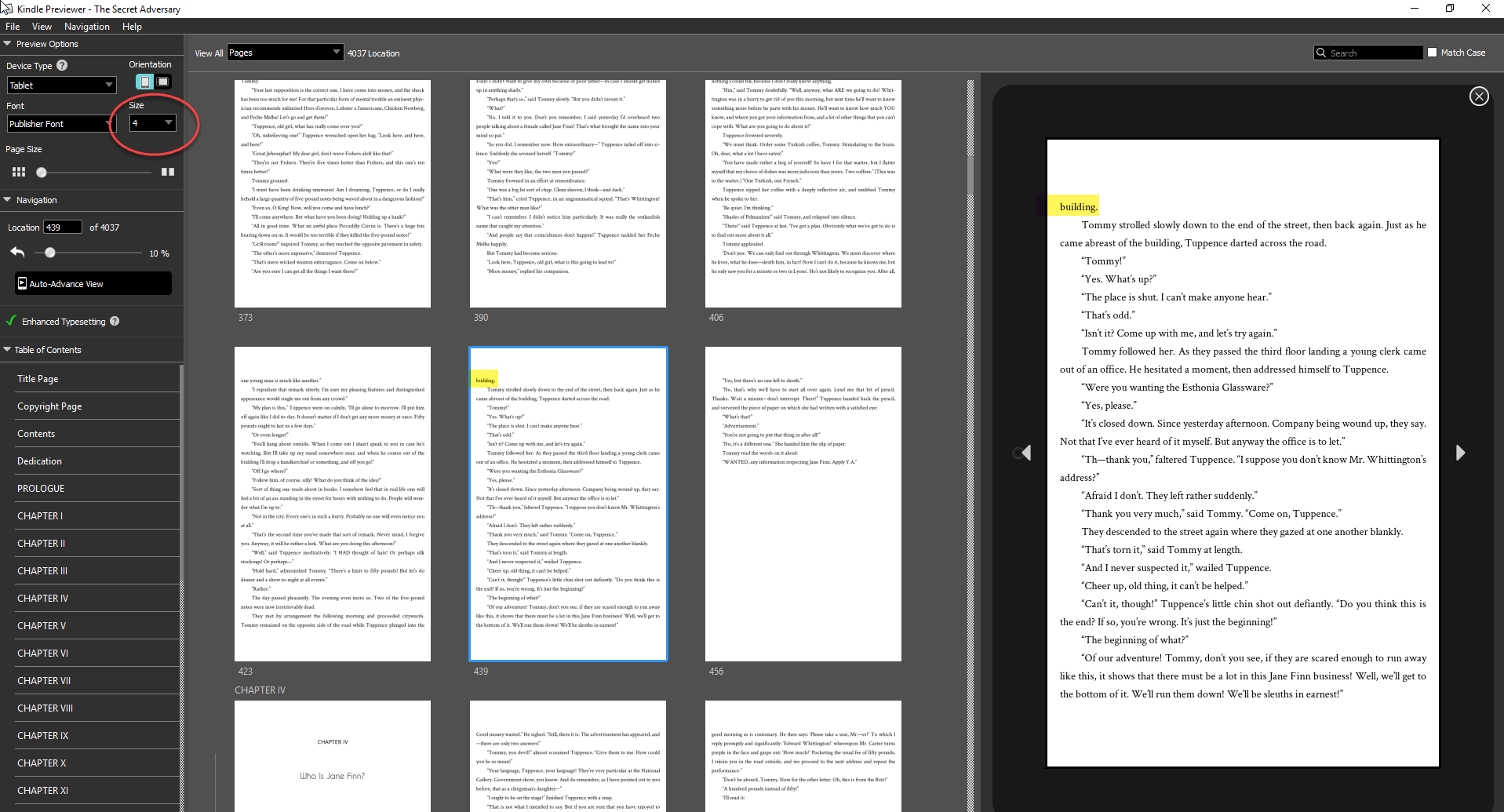
In our first screen, the dreaded "widow" is at the top of the page (yellow highlight), at font size 4 (red circle). But what happens when we change the font size?
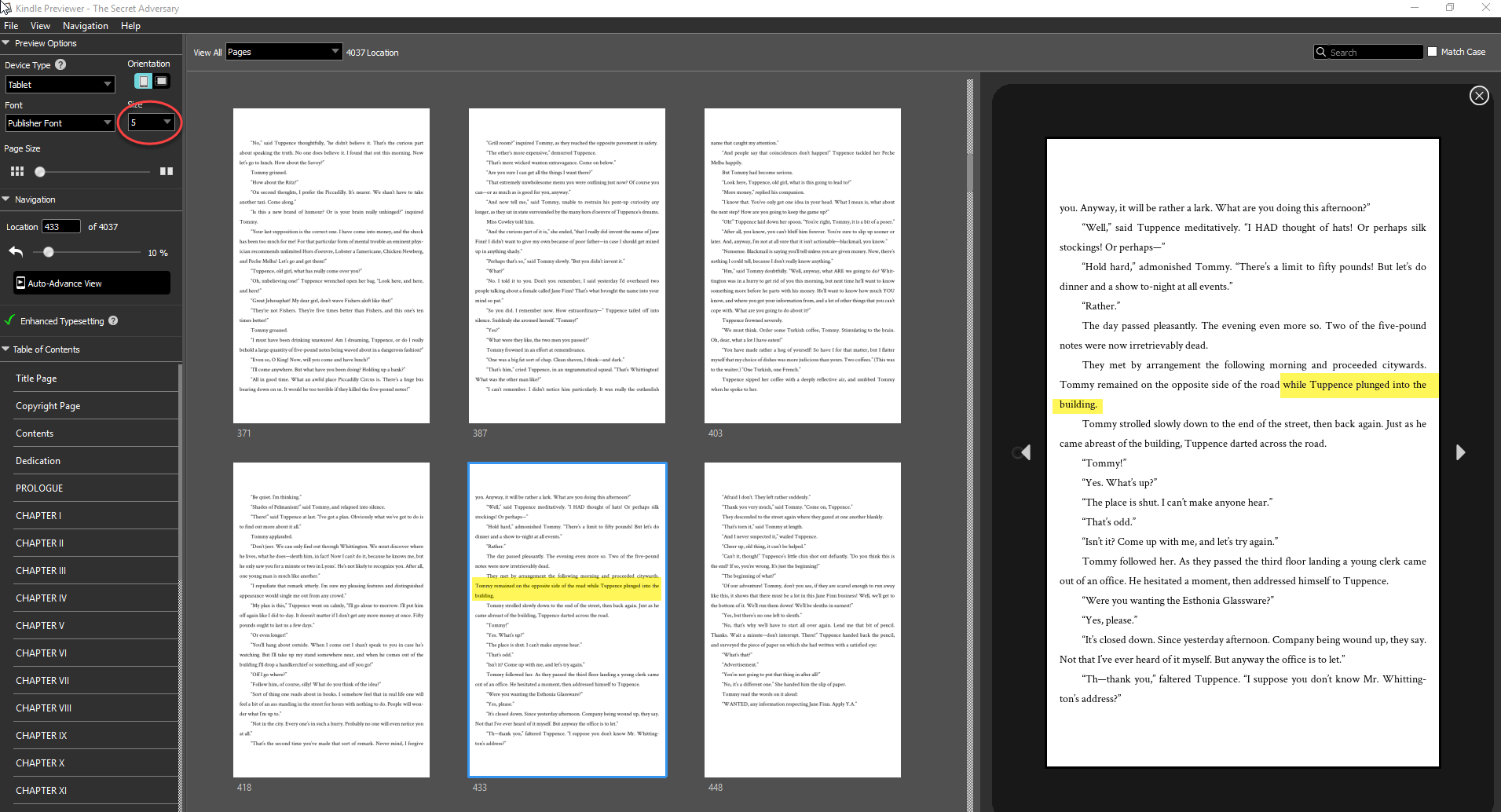
In our second view, of the same exact book, we've done only a single thing--changed the font size to Size 5 (red circle). Now look where the former widow is located! In the middle of the screen, with the rest of its paragraph--and a new "widow" is now at the top of the new screen.
So, as you see, there really isn't any such thing as a widow, or an orphan. And most importantly, without utterly ruining the book, there's no way to "fix it" either. Because it's just not a mistake—it's how eBooks are intended to work.
This article is most helpful when read in conjunction with this article on "Why Do My Headings/Subheadings show up at the bottom of a page?"