Why Are There Gaps Between the Words?

Contents
Those gaps are called “rivers” or “rivers of white.” In typography, in environments where hyphenation or proportional fonts are not available, the only way to justify text (to have text evenly left-and-right aligned, to form nice clean lines, like in newspaper columns) is to use horizontal white space, between words.
Let’s imagine that your computer is typing along, on a line of text that has 60 available characters. At the 55th character, the next word is “typography,” which, obviously, contains 10 characters. If you have hyphenation available, hey, no problem! You just hyphenate the word: typo-graphy, putting “graphy” on the next line. But—what to do, if you don’t?
You can either just end the line at that point, before “typography,” or you can insert more white space, between the other words on the line, so that the last letter of the word that falls before typography will end at the right margin. Those are called “rivers.”
The older Kindle devices, and many other eReaders, do not have on-the-fly hyphenation. That means that they justify by using rivers. There’s nothing that can be done about this. So, please don’t ask us to fix it. We would, if we could, but we can’t.
Let's see some examples
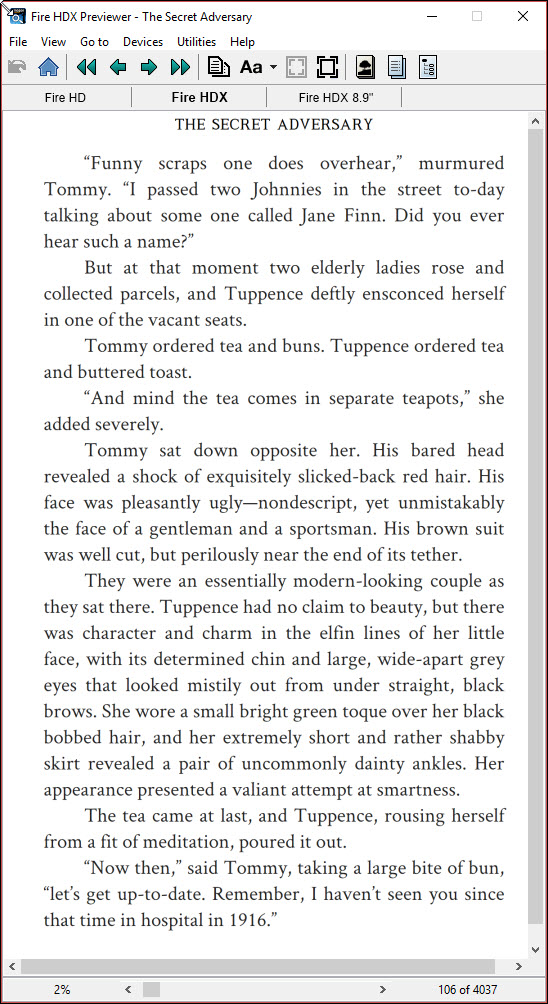
This "The Secret Adversary," on a Kindle Fire HDX looks pretty darn good, right? No ugly gaps? This is on font size 4, on the HDX. But now, let's look at a slightly bigger font...
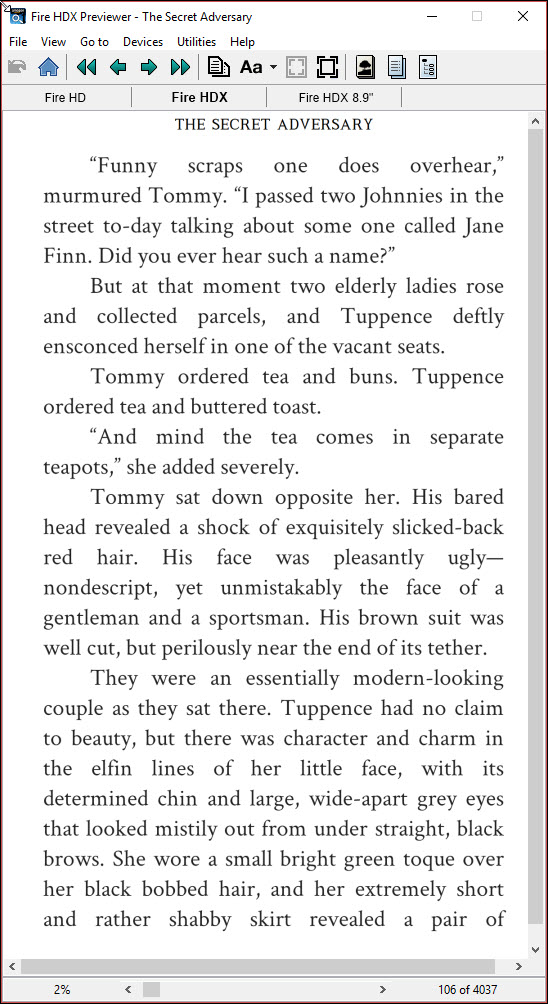
But, make the font a bit larger--and lo! Now, Tommy and old Tuppence have rivers of white--small white gaps, created to justify the text on the screen.
If you look at our examples, above, at the smaller font size, where any given word takes less space than it would at a larger size—so more characters can fit on a given line—it looks pretty good, right? But then look at the example shown to the right, still above (or the second page, depending upon how you're viewing this HELP section)—see the gaps in the dialogue sentence, "And mind the tea comes in separate...", spoken by Tuppence? Those are there because "teapots" won't fit on that line—and this version of the Kindle doesn't have hyphenation. You can see the "why" behind each line that shows the gaps, or "rivers," by looking at the word that follows on that line, like "ensconced" on the 7th line, in the left-hand screen. Not enough room for the word on the 6th line—so rivers are used, to make the justification as good as possible. You can see a more-visual example of those rivers in the next image:
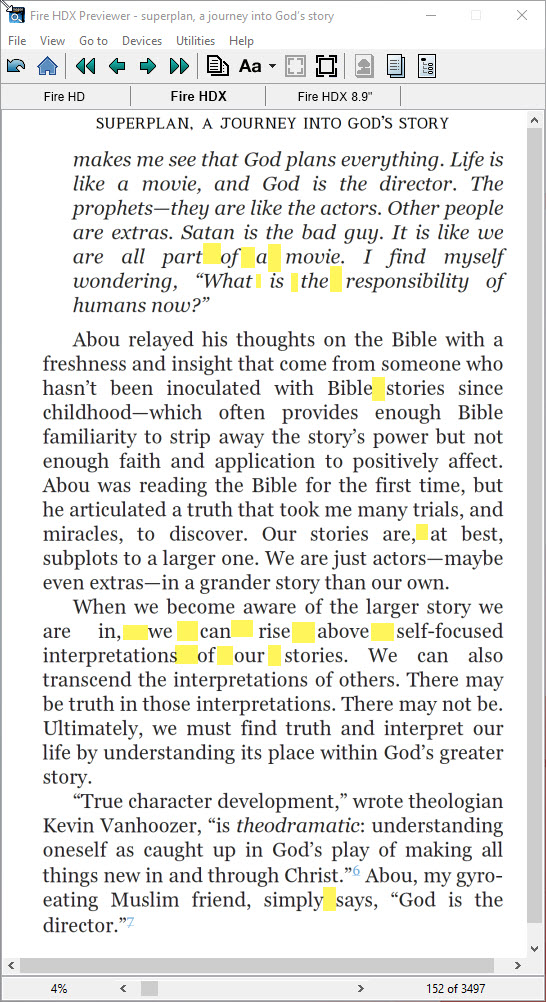
In this image, we've highlighted some of the gaps. You can see on the following line, from each highlighted area or areas, how a longer word forces the line to spread out, to justify, because the longer word can't fit on the line.
Fortunately, newer Kindle devices have the ability for “Enhanced Typesetting,” (ET) if the book has been made correctly (ours are!), and your book most likely won’t have rivers on those devices, as they have on-the-fly hyphenation and proportional spacing, enabled by the ET.
And it doesn’t even have to phone home for it to work.