What’s “Bleed,” And Why Is Amazon Making My Life Difficult About It?

Contents
Ah, bleed. Nothing seems to cause self-pubbing authors, working on a print book, to have heads doing the Exorcist Dance like the topic of "bleed." Bleed is one of those geeky, print-layout things that constantly cause issues. There's no reason for it to do so—but, indeed, it does. If not on a full-color interior, on a coffee-table-type book, or a cover, at some point in time, Gentle Publisher, you will encounter the topic of bleed, and you should be ready for it.
Why does Bleed exist? What does that even mean?
Bleed exists because no printer, and no cropper (cutter), is ever perfect. Let's say that you've laid out a full-bleed page. What does that mean? That means that, like a magazine, your interior images (like your book cover!), go all the way to the edge of the printed page, and even over. So that there's no margin of white, black, etc., around that image, like a picture frame.
This is a page, without bleed:
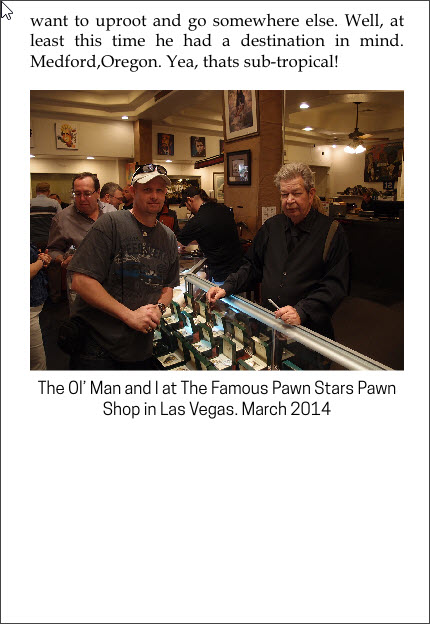
This is a "no-bleed" image. The image does not, and is not intended, to run from edge-to-edge, in the book, in any direction.
This one, however, is full-bleed:

The famous Jeremiah Tower ("JT"), America's first Celebrity Chef, credited with creating the American Cuisine movement. This image is "full bleed." That means that it takes up the entire page, from edge-to-edge. (Used with permission from Jeremiah Tower and Kit Wohl.)
What is Bleed, though?
What Bleed is, is fairly simple—it creates a "safety zone" for the printer. When you want, for example, a 5" x 8" print book, you create a "full bleed page" to be a little bit larger than the desired size. You make the image that occupies that page larger than 5" x 8". This allows the printer to be ever-so-slightly off, when he crops the book, without ruining it. If our image of the world-famous Jeremiah Tower, above, was set to be exactly 5" x 8", and the printer had it slightly misaligned, when he cropped it, you could end up with a little slice of white, on one of the sides. That's considered a bad job. The printer obviously wants to avoid having to throw away thousands of sheets, and so do you. The printer wants that "fudge factor," and thus, bleed was devised, for everyone's benefit.
However, what that means is, when you create a full-bleed book—you have to pay attention. You can't just make a 5"x 8" PDF, and Bob's-yer-uncle, as they say. (No, AnswerBot Bob, I'm not talking to you! Sheesh! It's just a saying!) It's going to have to be somewhat larger than 5" x 8". The bleed specifications vary from printer to printer, or POD company to POD company. For Createspace KDP, for example, for a 5" x 8" print book, full-bleed, you'd need your final PDF page size to be 5.250" x 8.250" (this will not be the same if you're working in spreads!!!).
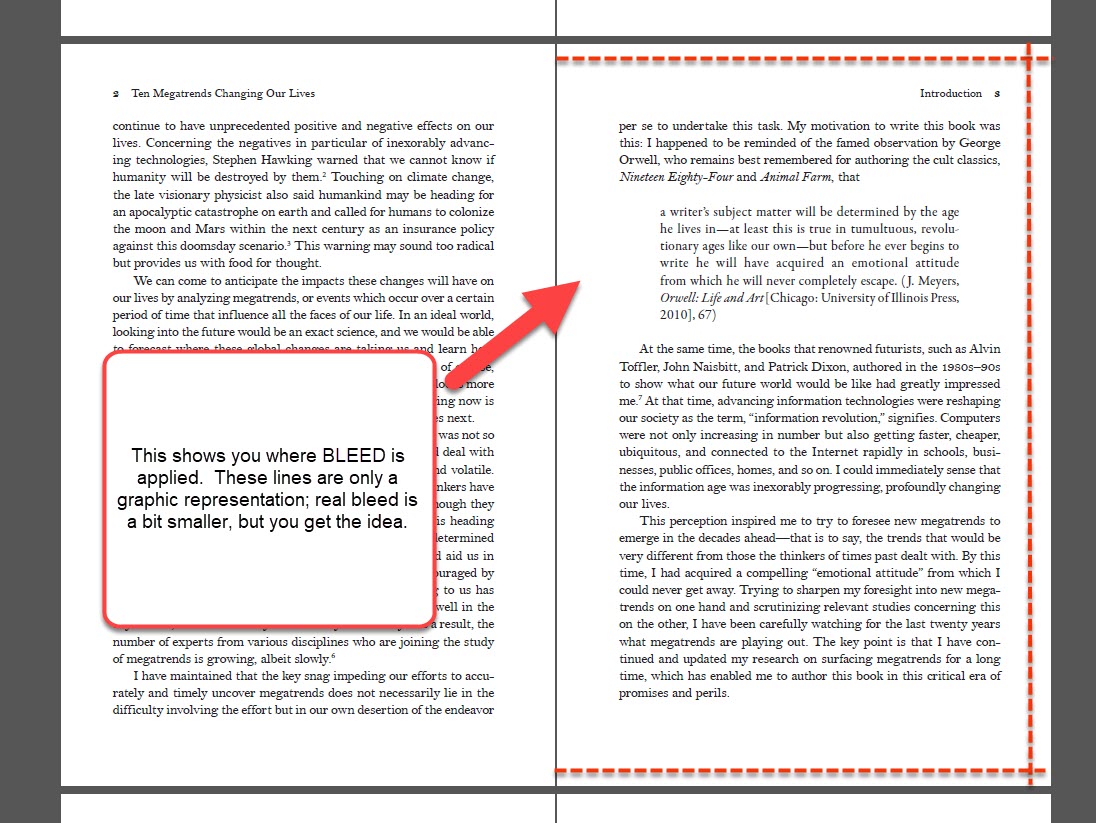
This shows where the bleed trim lines go, on a typical print book layout. Top, bottom and outer edge of the page.
The other thing to be highly aware of is "live elements" or "safe zones." Back at our friends at Createspace, you need live elements (text, headings, etc.) to be 0.25" away from the trim lines. That means that you want it to be 0.375" away from the edge of the page. (That's the 0.25" live element area, PLUS the 0.125" bleed, basically.) If you look at our image, above, that 0.25" would be calculated INSIDE the bleed lines. See the next image. This matters if you didn't plan on full-bleed, and suddenly, in enlarging an illustration to meet the needs of a full-bleed page, you find yourself cutting the top of a character's head off! (Boy, would Jeremiah be mad at me for that!). Imagine that the Gold lines, in the image blow, are the Live Element area lines:
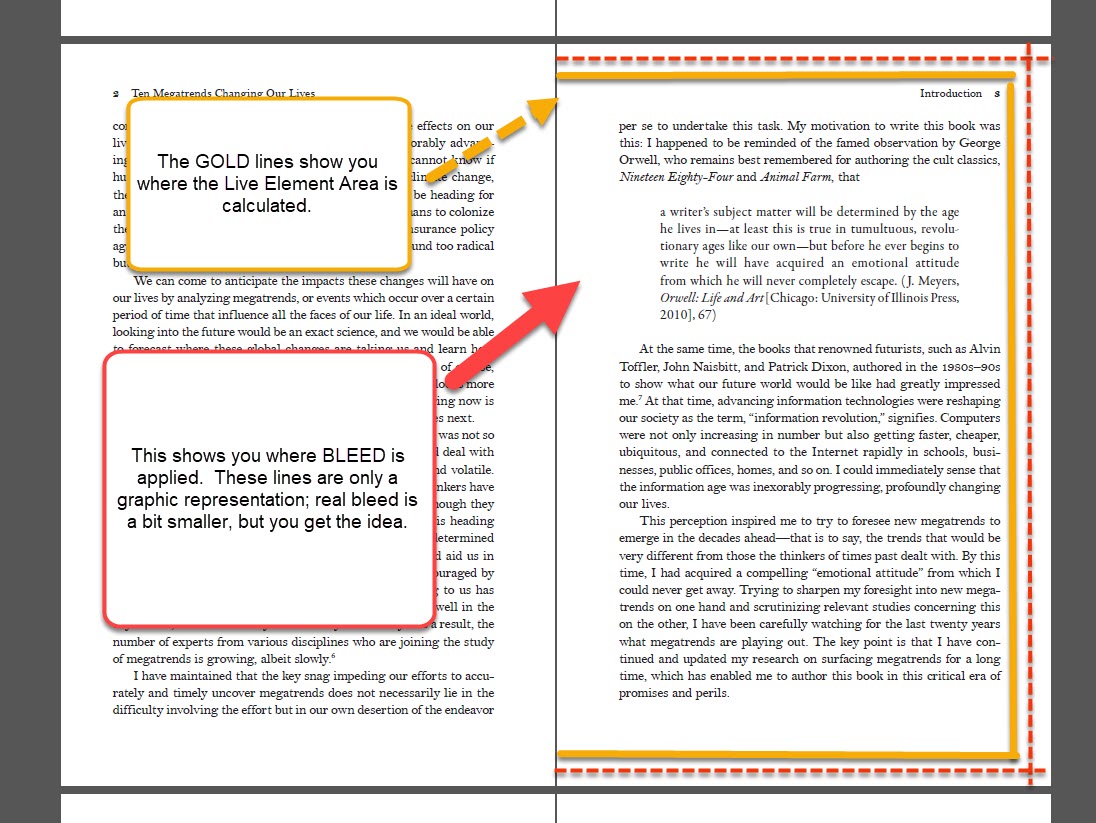
In this image, the red lines are still the BLEED lines; the GOLD solid lines show where the Live Element area is calculated to be. Remember, the Live Element area isn't trimmed. It's simply a space where you can't have text or "important" page elements. (Like page numbers!)
That's all "bleed" is. I know, it sounds confusing, like so many terms of art, but it's simple—you make a) the image larger than it needs to be, to cover the page, and you make b) the page a bit larger, so that the printer can trim off the ends, and not worry about missing the exact edge of that image, or leaving a strip of white or something else on the very edge of the page.
It's a safety margin for everyone's sake—but when you layout a print book, you have to make sure that you include this, if you are using full-bleed (full-page) images. Or any image that goes all the way to the edge of the printed page.