What's a Kindle Quality Notice?

Contents
A Kindle Quality Notice is a relatively new thing that's come out of Amazon's big push to increase the quality of self-published books. The readers (the devices) now enable most readers, particularly those with eInks, to report typos, grammar and punctuation mistakes, even plot holes and the like. While this is a wonderful innovation, and a good way to help some self-published authors "proofread" their own books, the results of a report like this can be rather draconian.
What happens?
First, you receive the "KQN," the Kindle Quality Notice email. Amazon alerts you that there are mistakes. You're advised to fix whatever those are. In the case of minor mistakes, typically, you can choose to ignore them and then you'll just receive more emails down the road.
However, of late, Amazon seems not to be sanguine about the "ignore" option, and instead, they issue a second, sterner KQN—and if you don't obey, and fix the book, a notice is posted on the Amazon sales page, warning readers that there are quality issues in the book. Typically, that notice will look something like this:
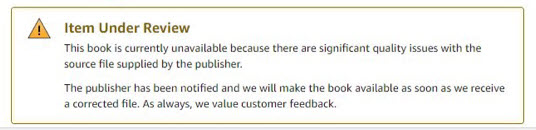
A typical Kindle Quality Notice.
In the instance of this notice, the book was actually removed from sale—which is what happens, if you don't fix the errata. Here's one for typos:
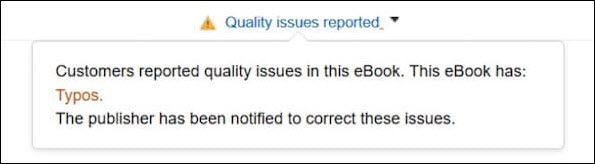
This KQN is for Typos.
Sometimes, you'll even see something like this:
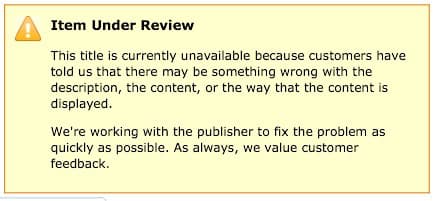
An "under review" notification for your buyers--not something you want them to see, right?
But...how does the prospective buyer see it? Well, we're glad you asked—here's what it looks like, on the Amazon sales page:
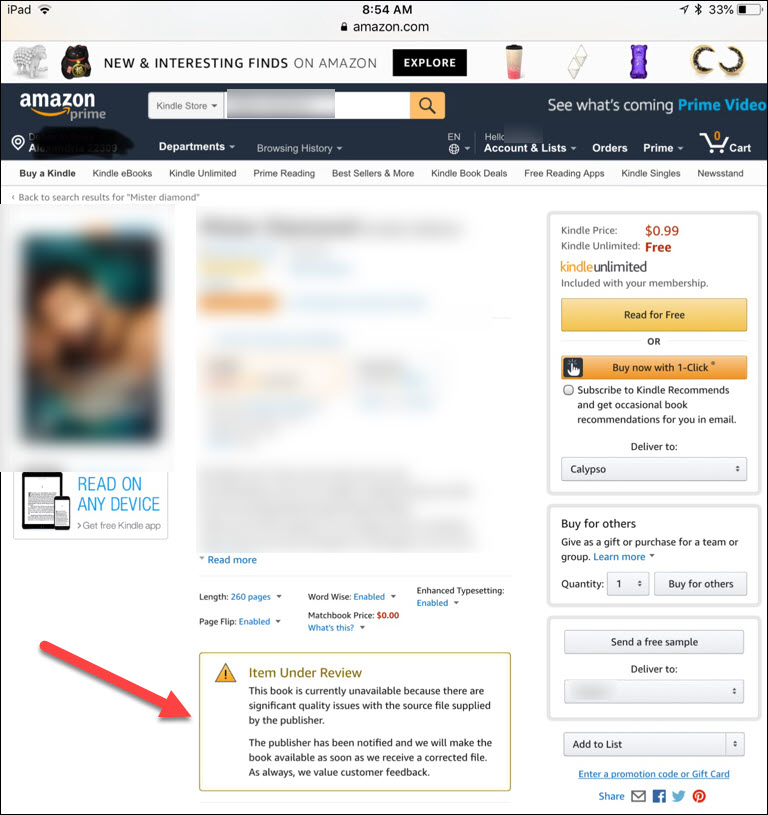
Nothing like a little horrible publicity, eh? This is how the typical KQN appears, on your book's sales page.
It's not hard to see why authors race to get their books fixed, when they receive a notice from Amazon.